Skip to content

Additional Calibration (17 N) and amplification module for the Multiple-Axis Load Cell

MA239

Extend the calibration range of a Multiple-Axis Load Cell

SKU: MA239 Categories: ,

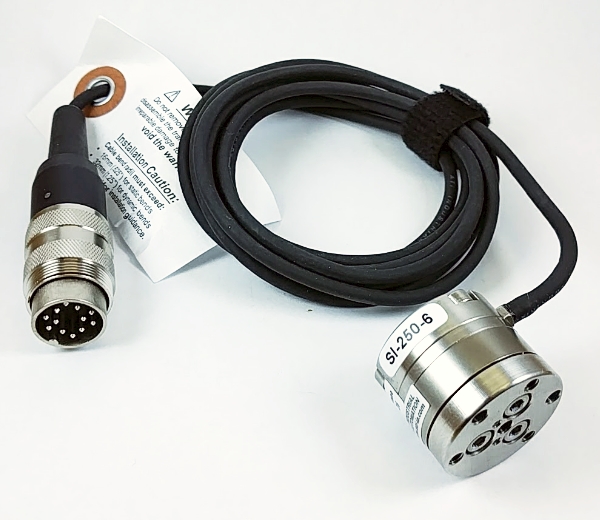
An additional calibration enables a new load range for a multiple-axis load cell. This additional calibration consists in a new amplification module in which you can connect your multiple-axis load cell. Only one calibration can be active at a time, but the load cell can freely be swapped between any available amplification module. This module is calibrated for the lowest load range available, making it ideal for lower forces and torques requiring higher precision. Load cell not included. The original load cell with its calibration box need to be returned to Biomomentum (RMA process) for this added calibration.

  • Easy to assemble and mount on the tester
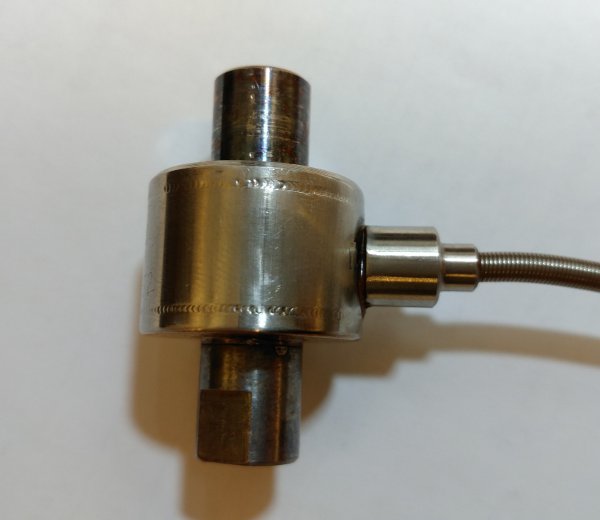
  • The smallest commercially available 6-axis transducer in the world.
  • Compatible with multiaxial load cells
Force Range (Fz)

+/- 17 N

Force Range (Fx, Fy)

+/- 12 N, 0.60 mN

Torque Range (Tx, Ty, Tz)

+/- 0.12 N·m

Force Resolution (Fz)

0.85 mN

Torque Resolution (Tx, Ty, Tz)

6.0 uN·m

Linearity

Less than 2% Full Scale (Each Channel)

FAQ

What is the purpose of the multiple-axis load cell calibration window?
This configuration window allows the user to add calibration weights and edit the parameters of existing ones for the multiple-axis load cell by double-clicking the corresponding line. More than one calibration can be performed with a given weight when considering the torques. The figure shows the different options.

Options:
INSERT - Clicking the “Insert” button will add a “NEW” line in the table, as shown in the following figure.

Double-click the line to edit the parameters: the “Calibration Weight” window will appear.

Enter the name of the calibration weight (e.g. its serial number or its nominal value) in the “Name” box.
Enter its weight (in newtons) in the “Fz, N” box. Enter the torque according to the x (“Tx, N.mm”) or y (“Ty, N.mm”) (in newtons-millimetre) if you wish to perform a calibration using the torque. The force along x (“Fx, N”) and y (“Fy, N”) as well as the torque along z (“Tz, N.mm”) can also be set if required.

DELETE - Click the “Delete” button to delete the selected calibration weight.

Mach-1 Motion – Multiple Axis Load Cell Calibration – Calibration Weight

Mach-1 Motion – Multiple Axis Load Cell Calibration – Insert

Mach-1 Motion – Multiple Axis Load Cell Calibration Window

Need Help Choosing an Accessory?

Talk to our team

Report a problem with this page

Your email is used only to follow up on this report.

Screenshots (optional)

Click this area and paste a screenshot, or drag files here. Up to 3 PNG, JPEG or WebP images; 5 MB per image. Hide confidential information first.

Please do not include passwords or customer information. Reports and screenshots are private.